Showing posts with label ProAPK. Show all posts

The Best Video Chat Apps You Could Be Using Instead Of Zoom


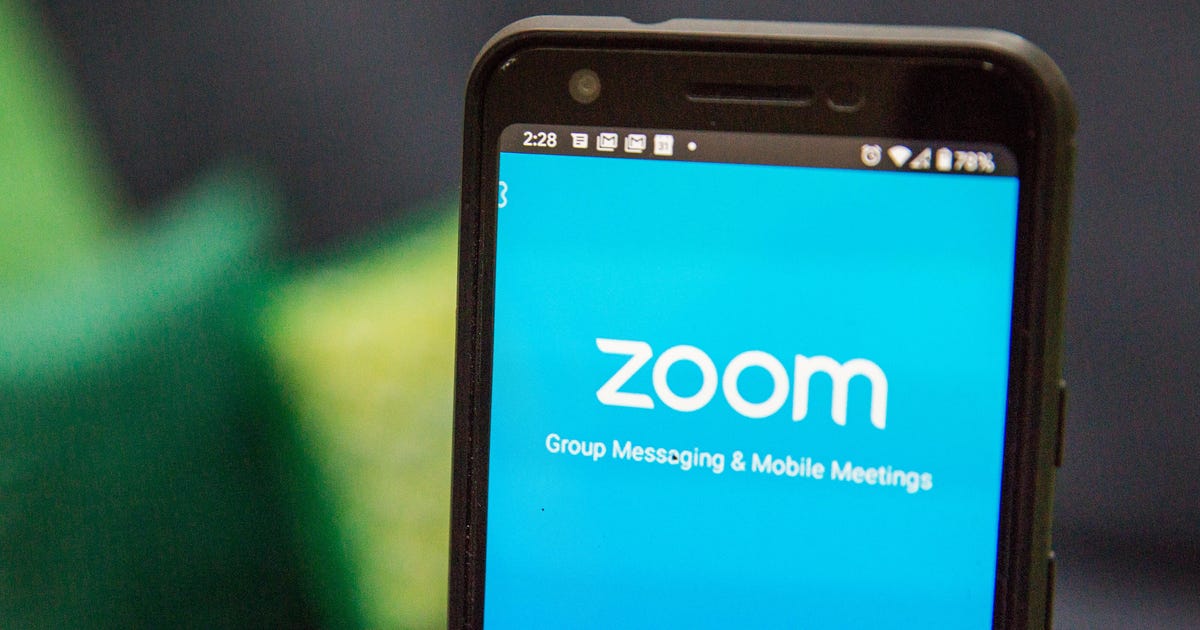
We’re all adjusting to a new way of living with a lot more video chatting in it, and Zoom has been riding the highest wave as a result—it’s fast, it’s simple, and it gets a whole load of people together on screen, even if they don’t have Zoom accounts. Zoom isn’t, however, your only video chatting option.


Even if you end up sticking with Zoom for virtual office meetings and remote pub quizzes, it’s a good idea to make yourself aware of the various other options out there, as they might better suit your requirements—they all let you hold free meetings longer than 40 minutes in length, for example. We’ve outlined six of our favourites below.


Don’t necessarily assume you need to jump from Zoom though, especially as it’s now tightened up its security practices. There are reasons Zoom’s popularity has exploded: It’s really simple to use, it manages calls with lots of participants well, and it includes more advanced features (like screen sharing and scheduled meetings) that some other apps don’t have.


Google Duo


  • Max video participants: 12


  • End-to-end encryption: Yes


  • Download:
    Android, iOS, web


Stop the presses: A messaging app from Google that’s actually doing quite a lot right! Duo has been our go-to app for video calls for a while, though it does lag behind Zoom in terms of group chat functionality, and it does require more investment from the user side—you need to supply your cell number to start using Duo on mobile (though you can use it on the web without one), which might be a barrier that stops some people signing up.


Google recently increased the maximum number of participants in a Duo chat to 12, no doubt in response to the success Zoom is seeing. If that’s enough for you, it has a lot to recommend it—simple and easy functionality, reliable video feeds (helped by bandwidth management powered by Google’s AI), and the ability to leave pre-recorded video messages. It still lags behind Zoom in some key areas though, like screen sharing features.


Houseparty


If you want something that works differently to just about all the other video chatting apps out there, pick Houseparty. Part of the reason it’s proved such a hit with users is the informal, casual way you can just drop into video calls if your friends are online, which is where the name of the app comes from. You get an alert when your contacts are active and available, and you can jump between different rooms (video chats) as much as you like.


Very handily for these self-quarantined times, the app offers up a few games and other fun features you can use to pass the time with friends and family, though even more diversions would be welcome. All of this means it’s less formal and well organised than something like Zoom or Skype, and it doesn’t have all of the features you’ll need for work and virtual office meetings (like passwords), but it’s a breeze to use—and that counts for a lot.


Skype


Wanting to make Skype more like Zoom was presumably the thinking behind the recently added Meet Now feature (it actually arrived back in December): It lets you jump into calls using just an invite link, no sign up and no account required. Another feature that’s relatively new to Skype and also worthy of attention is the real-time translation tool: It supports 10 languages and makes cross-country communication a little bit easier.


Skype has always been a competent, reliable, feature-packed video calling app (though its focus on business and its rigidity may have put a few people off), and it’s likely to cover everything you need—screen sharing, text messaging, file sharing and so on, not to mention the option to ring cell phones and landlines too. It integrates smoothly with other Microsoft apps too, which may or may not be something that appeals to you.


Cisco Webex


Much like Zoom and Skype, Webex is very much business-first—Houseparty this is not. That means paid tiers, though the free plan gives you a generous 100-person limit and unlimited meeting times. It also means tons of more advanced features, like whiteboards, calendar integrations, participant polling, private text messaging options, and so on… everything your colleagues might want but your friends and family probably don’t need.


As with Zoom, you can pay a monthly fee (starting at $US13.50 ($21)) to get extra functions, like meeting recordings, cloud storage, automated transcriptions, user management for your office team, and so on. It’s perhaps Zoom’s closest competitor here in terms of look and feel and features, but it hasn’t yet had the same crossover from businesses to consumers.


Facebook Messenger


Never one to miss a social media trend—hence why it forced Snapchat’s stories format into all its various apps—Facebook is keen to jump in and displace the market leader by making an exact copy of it. Messenger Rooms, rolling out from now over the coming weeks, can be accessed from the Facebook and Messenger apps, and lets you invite up to 50 people on a call, even if they don’t have a Facebook account (sound familiar?).


It ties in with the recently revamped desktop Messenger app for Windows and macOS, and apparently you’ll soon be able to launch Messenger Rooms from Instagram and WhatsApp as well (read all about it on the Facebook news blog). What you’re left with is a simple, easy-to-navigate grid of people all in the same video chat room, across mobile and the desktop, which reminds us very much of another video conferencing app beginning with Z.


Apple FaceTime


  • Max participants: 32


  • End-to-end encryption: Yes


  • Download: Built into iOS and macOS


Apple’s insistence on going its own way with messaging has its benefits, but not really when it comes to video chatting with everyone in your social and professional circles—unless absolutely everyone you know has an iPhone or a Mac, FaceTime isn’t really going to be an option for group video chat, even though it’s got plenty of features to recommend it (not least support for up to 32 different people on the same video call).


The floating head approach that FaceTime uses takes some getting used to, but everything is simple and straightforward to use, and you even get some filters and effects to play around with (including memoji support of course). Video chats are end-to-end encrypted, which isn’t the case on all the apps we’ve covered here, and there’s tight integration with your phone or computer—as long as you’re using Apple products.


Readmore : Android video chat applications


Source: www.gizmodo.com.au

Video chat apps tout 'inclusive' AI features | VentureBeat


Video chat apps tout 'inclusive' AI features


Were you unable to attend Transform 2022? Check out all of the summit sessions in our on-demand library now! Watch here.


(Reuters) — Video conferencing services have for years boasted that their technology is “intuitive” to use or “integrated” to function with other tools, but now vendors such as Google and Cisco can hardly go a blog post without trumpeting a different attribute: “inclusive.”


The latest buzzword, and the product development that accompanies it, shows how tech companies are newly focused on assuring Black users and other persons of color that online chat products will not leave them out in the cold. The changes stem in part from the rise of the Black Lives Matter movement — which has prompted vendors and customers alike to think beyond the needs of a white, English-speaking audience — and the pandemic, which created a large “remote” workforce heavily dependent on technology.


Alphabet’s Google this month plans to deploy an artificial intelligence (AI) feature that addresses the longstanding issue of darker skin tones being under-illuminated in video chats.


Cisco Systems in January launched a gesture-recognition feature to display a thumbs-up in Webex, taking pains to assure that skin tones would not affect performance. LogMeIn’s GoToMeeting, Microsoft’s Teams and Facebook’s Workplace are adding translation or pronunciation options in what they describe as an equity push.


Event


GamesBeat Summit Next 2022


Register Here


Readmore : Apps for Video Chat on Android


Source: venturebeat.com

These are five group video calling apps you don’t need to pay for | Technology News,The Indian Express


These are five group video calling apps you don’t need to pay for


Amidst the Covid-19 pandemic, most of us are relying on video calling apps to connect with our friends and family. While the advanced video conferencing solutions come with a price tag, if you just want to chat or catch up with your loved ones, there are a number of apps that allow you to make video calls free of charge.


We have already compiled a list of video calling apps that you can use for office calls such as Slack, Microsoft Teams, Google Meet, and Zoom. Here, we are listing down apps that offer simple to use interface to make video calls using your smartphone.


WhatsApp


Facebook-owned WhatsApp is one of the most popular messaging apps out there with over 2 billion users worldwide. If you are on the platform, there is a high probability that the person you want to have a video call with is also using WhatsApp. Making a video call using WhatsApp is as simple as using the dialer on the phone. Just open the contact you want to call and tap on the video call button. The platform also allows you to make group video calls with up to eight participants.


Signal


Signal app is available for both Android and iOS platforms. It works similar to the WhatsApp and offers video calling facility along with chatting. To make a video call, you just need to tap on a contact and then tap on the video call icon. The call quality is quite good and the app also allows you to access SMS as well.


Facebook Messenger


Facebook Messenger is another free to use application from Facebook that allows you to make video calls. Just open the app, tap on a contact you want to call, and tap on the video call icon. The platform also offers group video calling feature where you can invite up to 50 people to join the call.


Also read | How to hide that messy room background during a video call


Google Duo


Google Duo is also good for making video calls. It is available for both Android and iOS. You can make a video call or group video call like the rest of the video calling apps mentioned above but it has two advantages over the rest. Google Duo allows you to leave a video message if the other person is not available to pick up the call and the other notable feature is the “Knock Knock” that lets you see a live video preview of the caller before you attend a call.


Skype


If we are talking about video calling apps, then it makes sense to mention Skype. The platform has been around for too long and offers video calling and group video calling functionality over at iOS, Android, Mac, Windows, and more. You need to add contacts using their ID and make calls like usual. The web interface doesn’t look so good but the mobile app experience is solid.


Readmore : Android Video Chat Apps


Source: indianexpress.com

Google Hangouts vs. Zoom: Which video-chat app is better during quarantine? - CNET


Google Hangouts vs. Zoom: Which video-chat app is better during quarantine?


To slow the spread of coronavirus, many governments have imposed quarantines, lockdowns and shelter-in-place orders. This means many people are now working from home and in-person visits have moved to video-chat apps and services.


There are many options available, whether you're looking for a way to virtual happy hour or host a brainstorming session with coworkers, and two popular choices are Zoom and Google Hangouts. Here's how the two video-chat and conferencing apps compare -- especially in light of Zoom's recent security and privacy issues. 


Screenshot by Abrar Al-Heeti


Google Hangouts is the tech giant's app for free video and voice calls as well as group messaging. You need a Google account to start a call, but you can join one without it. You can invite up to 150 people to a Google Hangouts chat, but only up to 25 can join a video call at once.


In response to the coronavirus outbreak, Google is also offering many of the features of its business version, Google Hangouts Meet, for free to help people, businesses and schools stay connected. You can now host larger meetings of up to 250 participants for free on a call, and live streaming is supported for up to 100,000 viewers within a domain, and you can also record meetings and save them in Google Drive. You can take advantage of the free tools until Sept. 30. 


With Google's speech-to-text feature, Hangouts Meet has the option for real-time captioning in meetings or video chats -- great for people who are hearing impaired or who need to keep the volume down. 


You can use Google Hangouts through its app for iOS or Android, your web browser, its Chrome extension, or through your Gmail account. To start a call, open hangouts.google.com or on the sidebar in Gmail. Select a person from the Hangouts list, or search for their name or email address, and click it. Click Video call. In the app, open it up and tap the + button. Then enter your contact's name or email, and hit the camera icon to start a video call. 


Read more:
Zoom, Skype, FaceTime: 11 tips for your video chat apps


Sarah Tew/CNET

The Zoom video conference app works for Android, iOS, PC and Mac. The app offers a basic free plan that hosts up to 100 participants. There are also options for small and medium business teams ($15-$20 a month per host) and large enterprises for $20 a month per host with a 50-host minimum. You can adjust meeting times, and select multiple hosts. Up to 1,000 people can participate in a single Zoom video call, and 49 videos can appear on the screen at once.


The app has HD video and audio capabilities, collaboration tools like simultaneous screen-sharing and co-annotation, and the ability to record meetings and generate transcripts. Outlook, Gmail and iCal support scheduling and starting meetings. In Gmail, for example, just click the calendar icon, then click the time of your meeting, then click the link under Join Zoom Meeting. If the host scheduled it, there might also be call-in options. 


Read more:
13 Zoom video chat tips, tricks and hidden features


If your mic and camera are off, Zoom has the option to communicate via chat (the interface looks a bit like Slack). This feature can also be helpful if it's a massive all-hands meeting and the opportunity for questions is available. 


It's free to sign up with Zoom -- you can either manually create an account with an email or sign in with Google or Facebook. 


If you use Zoom, it's important to take into consideration the security issues that have come to light since its rapid rise in popularity during the coronavirus pandemic. Privacy experts have expressed concerns over the video-conferencing software's privacy risks and hacking vulnerabilities, as well as zoombombing (where uninvited attendees break into and disrupt meetings). The New York City Department of Education recently told teachers to stop using Zoom in favor of Microsoft Teams while security threats are addressed by the company. 


However, if you're still using the platform, there are some steps you can take to protect your meetings, like using a per-meeting ID and enabling the "Waiting Room" feature so you can see who's attempting to join a meeting before allowing access.


Now playing:
Watch this:

Zoom privacy: How to keep spying eyes out of your meetings


5:45


Readmore : Video Chat Apps for Android


Source: www.cnet.com

Interactive Video Chat App Lets Families Enjoy Drawing, Storytelling, and Playing Games Together | Tech Times


Interactive Video Chat App Lets Families Enjoy Drawing, Storytelling, and Playing Games Together


With children constrained in their homes while their parents are working somewhere else, most families communicate only through video chatting. However, with different online games and videos to keep children busy, virtual communicating seems tedious.


Good thing, families may now spend their family virtual time with an app that allows them to have a more interactive video calling experience. Here are some important details about the Caribu interactive video chat app.


Caribu interactive video chat app for families


Since lengthy Skype or FaceTime chats may be somewhat boring, it is harder for working parents to communicate with their kids. Thus, they need to find a better way to connect with their young ones.


According to CNET, families may want to try an interactive video chat app called Caribu. It brings families together through virtual activities with zero to 13 -year-old kids as they can draw, read, and play games despite the distance.


Currently, the app only allows for one-on-one calls right now, although the company is looking at expanding to multiple callers in the future. This is safe for kids as they can only make calls with people who are added on the contacts list. However, parents can add their family members or friends as contacts and connect with them through the app.


"The magic comes from being able to see content in the video call," said Caribu CEO and co-founder Maxeme Tuchman. Tuchman noted that people may now enjoy a library full of thousands of different books, activities, coloring sheets, scavenger hunts, and games in 10 languages to replace the boring video chats with kids.


Tuchman who has Latina and Jewish background said he grew up with a "very strong belief that diverse teams just perform better." Thus, she pooled a diverse team to enhance the app, which grew to 12 with the pandemic: four are people of color, six are females, and some are members of the LGBTQI community. This is reflected in the app's book library including anti-racist books as well as games and readings in 10 languages.


The Caribu app was launched in 2016, but its popularity only skyrocketed during the current coronavirus pandemic as its users grew 10 times overnight after lockdowns were applied in March. Currently, it now has over 500,000 users in more than 200 countries and territories. In 2019, Time Magazine named Caribu as among the best inventions while on December 11, it was named one of the winners in Apple's App Store Best of 2020.


Read also:
Mobile Game Improves Children's Mental Health This Pandemic As Cognitive Behavioural Therapy


Caribu interactive video chat app price and features


Caribu is free to download on Android and iOS devices as well as on the website and it gives limited access to some contents like activities, books, and video calls. It is also available on paid subscription plans of $9.99 per month or $99/99 per year, which provides two month free subscription. Subscribers will get unlimited access to books, games, activities, and video-calls, which can be shared to a number of people. Meanwhile, teachers and military members also get free subscriptions.


Caribu ensures all calls are encrypted and only with approved contacts while there are no ads and in-app purchases. Except for the free app, paid subscriptions can have unlimited access with books, coloring activities, puzzles, and two-player games. The best thing is that one plan already covers the whole family.


Related article:
Zoom Thanksgiving Activities 2020: 8 Ideas to Host a Virtual Event


This is owned by Tech Times


Written by CJ Robles


ⓒ 2022 TECHTIMES.com All rights reserved. Do not reproduce without permission.


Readmore : Apps for Video Chat on Android


Source: www.techtimes.com

10 Free Zoom Alternative Apps for Video Chats - CNET


10 Free Zoom Alternative Apps for Video Chats


While websites and apps for video chatting are nothing new, the pandemic gave them a massive surge in popularity and completely reshaped the market. 


Popular preexisting services like Skype fell to the wayside, while services like Zoom quickly rose to the top. Though the demand for these video chatting services has cooled off some since 2020, there are still a variety of different options out there, each one offering its own benefits and drawbacks. And many of them are free.


Though Zoom claims the top spot when it comes to video chatting apps, the service has also struggled with security concerns. In the past, there were instances of webcam hacking, or "zoombombing," where people broke into chats and meetings without an invitation. And more recently, the service has come under scrutiny once again due to concerns that its cloud recording feature may be sharing video with people outside the call. 


There are plenty of other video chatting options to use to stay in touch with friends, family and coworkers from around the globe. Below, you'll find our ten favorite video conference and video chat apps that you can use for free right now.


It should also be noted, however, that most of the apps listed here have seen security-related issues in the past, which the companies that own them (including AppleFacebookMicrosoft and Google) have since patched. 


César Salza/CNET

FaceTime is Apple's proprietary video calling app. If you have an iPhone, iPad or Mac, it operates seamlessly, letting you start a video chat with any of your contacts (so long as they are also Apple device users) the same way you would a phone call or text message. While FaceTime's primary purpose is video chatting, as its name suggests, you can also do audio-only calls if you're in a place with a Wi-Fi or data connection but poor phone signal. There is also a Group FaceTime option, allowing you to chat with up to 32 people at once -- assuming they all have Apple devices, of course. 


Read more:
Best FaceTime Alternatives for Video Calls


Angela Lang/CNET

The Facebook-owned messaging app WhatsApp has more than 2 billion users worldwide. It's easy to use, and works on Android and iOS devices. WhatsApp offers end-to-end encryption, which means that only you and the person you're sending a message to can read what you send. You can use it to send messages, or make video or audio calls. Its global popularity makes it a great option for keeping in touch with family and friends worldwide. 


Angela Lang/CNET

Skype -- owned by Microsoft -- is available for iOS, Android, Windows and Mac, and offers video and audio calling, as well as a messaging feature. It has an easy-to-use interface, and supports up to 50 people on the same audio call (the number of video callers depends on what device you're using, according to the company). Skype also lets you record, save and share your video calls, and has live captions and subtitles. 


Marco Polo

If you want to video chat with someone but can't do so in real time -- perhaps they have a busy work schedule, or live in another time zone -- Marco Polo is the app for you. You can send video messages to individuals or group chats, which the other parties can watch and respond to at their leisure. Unlike Snapchat, Marco Polo saves all of your video messages so you can revisit conversations, and doesn't limit your video time. You can also add fun filters and voice effects if you want to mix up your conversations. 


Angela Lang/CNET

Facebook's Messenger app is primarily used for sending messages, but also includes a video chat option, making it a convenient choice for those who are on the social media platform all the time anyway. If the person you want to talk to is also a Facebook Messenger user, you can initiate a video or audio call with them through the app. And like on Facebook's main app and Instagram, you can also add a temporary photo or video to your Story on Facebook Messenger.  


Microsoft

For companies that run on Office 365, Microsoft Teams brings together chat, video meetings, audio calling and Office apps like Word, Excel and PowerPoint into one hub for teamwork. If you have Office 365, you already have teams, but if you don't, there is a free version available. Office 365 business plans that include Teams start at $6/user/month. 


Jitsi

Jitsi is a multiplatform, open-source video conferencing service, which lets you use its multiuser conference client or build your own. All of its tools are completely free and open source. 


Jitsi's prebuilt video conferencing app is called Jitsi Meet. It's fully encrypted and you can use it without creating an account. Invite users with a custom URL, and share your desktop and trade messages while you chat. 


You can use Jitsi for web, Android, iOS, React-native and Electron apps. 


Google

Google's Hangouts Meet is a videoconferencing tool integrated into the G Suite platform that allows people to hop on meetings via a web link through their laptop or mobile app, or a phone line. If your organization uses G Suite, you can create that link directly through a Google Calendar invite. It's a solid free option for easy business chats if you already use G Suite. 


Getty/S3studio

Amazon Chime is the tech giant's communications service that lets you meet, chat and place business calls both inside and outside your organization in the same app. It runs through Amazon Web Services, the company's cloud computing platform. The service operates on pay-per-use pricing, so you can switch between basic features with no charge and professional features that come with a price tag as you need them. 


Read more


Readmore : Video Chat Apps for Android


Source: www.cnet.com

The 5 Best Group Chat Apps for Android


When it comes to chatting apps, there is no dearth of options regardless of what platform you're on. However, due to the sheer variety, most of these apps offer underwhelming features, especially group chat apps on Android.


Read on to find out the best chatting apps for Android that are a perfect blend of usability, features, and security.


1. Family: WhatsApp Messenger


WhatsApp Messenger needs no introduction as it's the most popular mobile messaging app currently. With over two billion active monthly users, it's highly likely that all your friends and family already use the app. WhatsApp Messenger's standout feature is its simplicity. People of all ages find the application easy to use, making it ideal for family groups. Even non-tech-savvy uses can easily send and receive messages, documents, pictures, and videos.


WhatsApp Messenger also comes with end-to-end encryption as an added layer of security. Currently, WhatsApp Messenger allows you to create groups of up to 256 people. It also offers in-app free video and voice calling via the internet. Other nifty features of the app include voice notes, live location, and in some countries—the ability to send payments as well. All these features are completely free, making WhatsApp Messenger one of the best group messaging apps on Android.


WhatsApp Messenger is available for both Android and iOS. A web version can also be used on any desktop browser. However, it still does require your phone to be connected to the internet.


Download: WhatsApp Messenger (Free)


2. Work: Telegram


If security and privacy are your primary concerns in group chat apps, then Telegram ticks all the boxes. The app offers the best in class encryption and the ability to send private messages that self-destruct. Unlike WhatsApp Messenger, Telegram doesn't store your chats and media locally, thus, requires less space on your smartphone.


The service allows you to create groups of up to 200,000 people, and broadcast channels that support an unlimited number of people. This makes it ideal for large organizations as well as public influencers. Additionally, users can send files of up to 2GB in size. All participants can access these files from anywhere, as they're all stored on cloud servers that are scattered worldwide. Telegram is open-source software, which means that there are plenty of clients available that cater to specific needs.


Related: Useful Telegram Features You Should Be Using If You Aren't


Unfortunately, Telegram's greatest strength is also its primary pitfall. Since the application doesn't process any sensitive user data, it has become a hub for illegal activity. The service also doesn't allow you to report any such messages or activity, unless it's publicly available, such as channels, sticker sets, and bots. Telegram is available on all major platforms, including Android, iOS, Windows, Linux, and macOS.


Download: Telegram (Free)


3. Voice Chat: LINE


LINE's primary focus is on free voice and video calling, but it also allows you to call landline numbers at a cost. It's still cheaper than regular calling, though. Similar to WhatsApp Messenger, LINE requires you to register using your mobile number. The LINE app supports groups of up to 500 people, including yourself.


Related: The Best Free Voice Chat Apps for Gaming


The app has all the usual features, such as media sharing, voice notes, and even payments. The service allows you to integrate its sister apps, Line Out and Line Pay, to further increase functionality. It also has a timeline feature, similar to that of Facebook, allowing you to share images and other updates publicly or with friends. LINE also has a nifty photo editor app that allows you to make cool edits to your pictures before sending them.


The only drawback of the LINE app is its comparative lack of popularity outside Asia. If you live in the Western Hemisphere, it's unlikely that your friends or family have registered on the app. But the pros outweigh the cons, making it a solid group messaging app. The service is available on Android, iOS, Windows, and macOS.


Download: LINE (Free, in-app purchases available)


4. Friends: Kik


Kik is already quite popular among teenagers worldwide. This is mainly due to its hassle-free sign-up process that doesn't require you to disclose your mobile number or your real name. This provides a sense of anonymity to its users. You only need to assign yourself a username, and all communication takes place using that unique username.


Related: What Is the Kik App and Why Do Teens Love It?


Group chats are pretty straightforward to start, but the app only supports a maximum of 50 members. Groups can either be public, allowing anyone to look them up within the app, or invite-only. You can also toggle whether members of the group can direct message (DM) you or not, which is a welcome feature. The service also allows you to add bots and play games with members of the group to liven up the chats.


Due to the demographic of Kik, it is unfortunately targeted by predatory adults, which can have an adverse effect on users. Additionally, users could also be targeted by cyberbullies that hide behind the garb of anonymity. Thus, it's important to know how to recognize and deal with cyberbullying. Kik is available for both Android and iOS.


Download: Kik (Free)


5. Video Chat: Skype


Skype is one of the oldest video conferencing apps that is still functioning. Despite seeing a decline in popularity, the application's free version is feature-packed and perfect for personal use. The application also offers SMS and landline calling features as an added bonus.


Skype lets you host video calls with up to 100 people at a time, but there is a limit of 100 hours per month on group video calls. The app also allows you to share your screen with other participants, present slideshows or videos, and more. Features like background blur further enhance the video calling experience. You can also choose to use the free voice call feature without any limits, even in the free version.


Despite good video calling features, Skype still lacks behind other services like Zoom in aspects such as ease of use and the number of users. Skype is available on Android, iOS, Windows, and macOS.


Download: Skype (Free)


Start Group Conversations With These Apps on Android


With the group chat apps for Android listed above, you can quickly and easily start a conversation with several people at once. Whether you're looking to have a voice chat or you want to appear in front of your friends in a video, these apps serve pretty much all the features you need in a modern-day chat app.


Readmore : Apps for Android Video Chat


Source: www.makeuseof.com

Instagram: A Beginner's Guide To The Wildly Popular Photo-sharing App - Inventiva


Instagram: A Beginner's Guide To The Wildly Popular Photo-sharing App


Instagram: A beginner’s guide to the wildly popular photo-sharing app


Among social media networks, Instagram stands out as one of the most unique. Images and videos are almost entirely the focus of the platform instead of words. In fact, “Instagramming” is now officially a verb due to its visual twist.


In 2012, Facebook bought Instagram, which has more than a billion registered users. Instagram has become a household name nowadays, from small businesses to large organizations, news outlets to cultural institutions, and celebrities to photographers and musicians plus a cottage industry of influencers.


In addition, we all like a selfie that’s well-taken.


Check out this guide if you haven’t been keeping up with Instagram lately. We’ll explain how Instagram works, how you can get started, and eventually, how you can start ‘gramming like a pro.


Let’s go over some of the most basic Instagram features to help you get started.


Create an account by downloading the app


Instagram requires you to sign up for an account and download the app. Android, iOS, and Windows devices are all supported. iPads don’t have an official Instagram app, but you can still use the app by changing your App Store settings to locate it.


how to set up an instagram shop | later


First-time users will be asked to create an account or log in with their Facebook accounts. New users must provide a phone number or email address, their full name, a username, and a password until they can create an account.


Having an Instagram account allows you to run separate personal and professional accounts without ever having to log out – a very useful feature if you wish to run separate accounts.


Instagram has steadily improved its desktop experience over the years, even though it is primarily built for smartphones. From your computer, you can use a web browser to edit your profile, view your feed, send and receive direct messages, and like and comment on posts.


Is there anything you can’t do on your computer? Post photos and videos.


Setting up your profile


You should set up your profile when you first create your Instagram account. On your profile page, you can see all the photos and videos you’ve uploaded, as well as who you’ve followed and who’s followed you. Settings can also be accessed here.


It’s important to update your profile picture, username, and bio so people know who you are. You can provide a brief description of yourself or your brand in your bio, which appears alongside your profile picture throughout the platform. Adding a link to your website is also possible.


Changing your profile page is as easy as clicking “Edit Profile”:


Customizing notifications


Making sure you receive the right notifications on Instagram means staying in touch. Push notifications are sent to your device based on your preferences.


Maybe you want to be notified when someone follows you or comments on your post. Perhaps you don’t want notifications at all, or you’re overwhelmed with pings.


It’s time to start sharing now that the app has been downloaded and your account has been created.


instagram announces new changes to the timeline based on feedback - gsmarena.com news


How does Instagram work?


Social networks are at the core of Instagram, and a highly visual one at that. You will always see the main feed of posts from your followers when you open the app. Anywhere in the app, you’ll find a menu bar at the bottom.


The left-to-right buttons do the following:


  • Home:
    Here you can browse through your friends’ photos and videos.


  • Search and explore:
    By clicking the magnifying glass icon, you can browse and search content from accounts you haven’t followed yet but might be interested in.


  • Upload:
    You can upload and edit photos and videos by using the large plus button within the app or by choosing from the camera roll on your phone.


  • Activity:
    Clicking the heart icon will take you to a page displaying likes, comments, and other activity updates.


  • Profile:
    You can access your settings from this icon, which takes you to your profile page, where you can see your bio and posts.


Instagram is what you make it, just like other social media networks. Most people use Instagram to express themselves and voyeurism. Instagram is an indispensable marketing tool for entrepreneurs, brands, and influencers.


In simplest terms, Instagram is based on the following accounts that interest you. Your followers follow you in turn. The visitors to your account can like and comment on your posts, and the visitors to your account can do the same for you. The level of activity you display is entirely up to you, whether you keep a low profile or build a following.


here's how to post to instagram on mac and pc - 9to5mac


Identifying and following people


At the bottom of the app, tap the magnifying glass icon to find people to follow. Upon clicking this, the Explore page will appear, where Instagram suggested posts based on what you are interested in.


Another great way to discover content is by organizing the Explore page by topic. A user’s name can also be searched on the page.


Facebook and Twitter have different ways of interacting. Friendship requests are usually not accepted by the other person after sending them.


Your feed will be updated when you follow other people. Followers and followers can always be seen.


If you click “Follow” on a private profile, you will have to wait for that user to approve you before you can follow them. Only those who have made their accounts private will have to accept you before you can follow them.


Another great way to find friends on Instagram is to connect your phone’s contacts book to it.


how to get your first 1,000 followers on instagram | by elise gray | the startup | medium


Receiving and Sending dire


ct messages


You can also send direct messages to people who follow you in addition to commenting on their posts. You will receive a separate “message requests” folder if you send a message to a person who does not follow you. A message must be accepted by the recipient before the conversation can begin.


The app and desktop website both support direct messaging.


From your home feed, tap the paper airplane icon to access your messages. A list of all the people with whom you have previously had conversations will appear. Alternatively, you can start a video chat by tapping the camera icon in the top right corner.


During a conversation, you can send many messages. There are several types of text messages, including basic text messages, Instagram posts, animated GIFs, and more. If you no longer want to see a message, you can also “like” it or delete it.


Instagram features


Instagram releases new features regularly, as you might expect. Instagram offers plenty of self-expression and creativity opportunities, from new content to creating tools that are constantly being updated.


Instagram Live


Live streaming from your phone via Instagram is called “live streaming” – or broadcasting live video to anyone who wants to see it. During your stream, viewers can send you messages and hearts, allowing you to interact with all your followers at once.


You can go “live” on Instagram by opening the app and going to the camera screen. From there, select “Live”. One hour is all you can Livestream – after that, you’ll have to start over.


By default, viewer comments are visible while you stream, but you can disable them by tapping on them.


You’ll receive a notification when someone you follow starts a Livestream. You may receive a constant stream of notifications if you follow a lot of people. It only takes a moment to disable Instagram Live notifications.


instagram live video launches: here's everything you need to know


Instagram Stories


Stories are customizable posts that only last 24 hours, and many people use Instagram exclusively for them. Top of the home feed is a slideshow of posts, which may include photos and short videos.


Customizable means exactly what it says. Stories go beyond simple filters to include everything.


You can add a Story in a variety of ways; one of the easiest is by tapping the camera icon at the top-left corner, where you can choose from your phone’s gallery or take a photo or video live. Adding text, drawings, or other creative elements is easy from there.


Stories disappear after a day but are saved to your private Archive (which is explained in a minute). The Stories on your profile can also be published permanently, so visitors can access them at any time.


edited and proofread by nikita sharma 


Readmore : Video Chat Apps for Android


Source: www.inventiva.co.in

Video chat app Around could be a harbinger of ‘always-on’ video | Computerworld


Video chat app Around could be a harbinger of ‘always-on’ video


As remote working booms around the world in response to the coronavirus crisis, demand for video calls has surged dramatically. But despite the fact that video meeting software is now more reliable and user-friendly than ever, setting up and joining a video call can still feel intrusive and somewhat of a chore.


Typically it requires workers to divert their full attention to a discussion with one or more colleagues, with the video chat client taking over their entire computer screen. While this makes sense for important meetings, it also sets a higher bar for more casual interactions and makes it more difficult to take notes or otherwise share focus between the video chat and other apps.


This week, a startup called Around unveiled its video chat software, which features a less invasive interface and could offer way to enable “always-on” video for remote workers.


As noted by TechCrunch, Around — currently in private beta — is a lightweight group video call platform that has raised $5.2 million in seed funding to date. Rather than taking up the entire screen, it automatically crops video streams of workers into “floating head” circles that are grouped together as an overlay that leaves most of the screen visible.


around video chat

Around

Chat participants appear in as "floating heads" in Around, letting workers access other apps without switching windows.


Around uses AI-based camera framing to detect a participant’s head, following them as they move while simultaneously cutting out their background. It also automatically mutes background noises to avoid further unwanted distractions. The app, which is available for Windows, Mac, and on the web, will eventually be sold under a freemium licensing model when it launches; you can apply for early access here. (A Linux version remains in the works.)


In a blog post on Medium on Wednesday, Around CEO Dominik Zane said that the app lets users focus on getting work done by allowing them to collaborate around tasks as the focal point of discussions.


“[W]e took video and made it less,” he wrote. “Less traditional, less formal, less bulky, even less realistic. Less about blowing up people’s faces on a 70-inch HDTV, more about focusing and doing. Around is there for a quick session to supercharge all future-of-work applications. It’s just enough to be present but makes space for what’s important: the task at hand.”


While Around is not specifically billed as an “always-on” video platform, it has potential for pervasive low-level interactions, with continuous video feeds connecting colleagues throughout the day. 


The concept of always-on video has been around for a while, with businesses seeking to connect workers in different locations and enable them to engage in impromptu conversations. Sneek is another example; it lets users easily start a video call with a co-worker by clicking on a regularly updated “still” photo, thereby avoiding constant recording and broadcasting.


Always-on video could help alleviate some of the challenges remote workers face, such as disengagement from co-workers and company-wide initiatives, said Raúl Castañón-Martínez, an analyst at 451 Research. “Implementing ‘always-on’ video meetings could help organizations address this problem, bridging the communication gap for remote teams or teams that include a mix of remote and in-office workers,” said Castañón-Martínez,  


There are drawbacks with always-on video, to be sure. Aside from potential resistance from users to a constant video uplink, there are technical and security considerations. As the number of remote workers surges, for example, greater strain is put on internet bandwidth.


“It will require addressing technical issues to ensure that bandwidth is not a constraint for delivering the service; it will also require security features such as an automatic screen saver that kicks in when users are not active, for privacy and security,” said Castañón-Martínez.


For more details on the network bandwidth issues that could accompany always-on video, see Network World’s “Coronavirus challenges remote networking.”


Copyright © 2020 IDG Communications, Inc.


Readmore : Apps for Android Video Chat


Source: www.computerworld.com

Video chat app Zoom unveils latest products, aims to provide the 'work anywhere' experience | Business Insider India


Video chat app Zoom unveils latest products, aims to provide the 'work anywhere' experience


As countries reopen and millions rejoin offices, video collaboration and chat app


Zoom

has seen a massive erosion in its stock value -- nearly 80 per cent -- from its high in 2020.


The demand for Zoom soared in the two years of the pandemic as companies shut offices and employees had to work from home.


Remote learning and telemedicine also gave a boost to Zoom Video's cloud-based services.


Now, the growth of Zoom has slowed down as in-person meetings resume and schools/colleges reopen.


Zoom is now undergoing a year of transition in 2022.


Alarmed at its slow user growth, the company has unveiled latest innovations in the Zoom platform to help businesses improve customer and employee experiences for the new 'work anywhere' workforce.


For example, 'Zoom IQ for Sales' is a conversation intelligence solution for sales professionals, as well as new Zoom Events and Webinar functionalities such as backstage and Webinar session branding aim to put engagement at the centre of the experience and transform the way we work, connect, and collaborate.


The new products announcements helped Zoom stock zoom 8 per cent on Wednesday.


"Following our recent launch of Zoom Contact Centre, Zoom IQ for Sales, and our latest Zoom Events innovations mark further steps in Zoom's journey to establish new heights for customer experiences and flexible collaboration across the workforce," said Oded Gal, Chief Product Officer at Zoom.


SEE ALSO:
WhatsApp is finally allowed to have 100 million users for its payments service
RBI is hiring 294 officers with a starting pay scale of ₹55,000 per month, apply before April 18


§


  • Zilingo's board members have suspended CEO Ankiti Bose amid a financial probe, reports say.

  • Investors are concerned with the startup's accounting practices, Reuters and Bloomberg reported.


A fashion e-commerce startup in Singapore valued at $970 million has suspended its CEO after investors launched a probe into the company's accounting practices, Bloomberg and Reuters reported this week, citing unnamed sources.


Ankiti Bose, 30, cofounded Zilingo in 2015 with Dhruv Kapoor. In 2019, Zilingo raised $226 million from its investors, which pushed its valuation to $970 million, per Bloomberg.


On Wednesday, Zilingo said its board members decided to suspend Bose as an investigation into "matters" is underway, Reuters reported.


The company did not specify the focus of the probe to Reuters, but unnamed sources told Reuters and Bloomberg the probe is related to the company's financial and accounting practices. These include how the startup was keeping records of transactions and revenue, sources told Bloomberg. The company has avoided filing annual financial statements since 2019.


Bose and cofounder Kapoor met in Bengaluru, India, in 2014 where they shared an idea to help small players to produce, source for, and trade fashion apparel. They made Singapore the company's base, Bloomberg reported in 2019. The investigation and Bose's suspension threaten to derail Bose's push to have the startup she cofounded reach unicorn status.


Big-name Zilingo investors Temasek Holdings and Sequoia Capital first raised concerns to its board last month, sources told Bloomberg and Reuters.


"The major investors hired an independent firm to investigate the matter, and the company is working closely with the major investors and the independent firm for the investigation," Zilingo said in a statement to Reuters.


Bose disputed Zilingo's board's decision to suspend her and called it a "witch hunt," according to a correspondence seen by Bloomberg. The outlet was the first to report on Bose's suspension.


"We are of the view that our client's suspension has been procured by invalid and defective means; that the investigation commenced into her is unfair and lacking in due process, and that she has been suspended without proper and reasonable cause," Bose's lawyer told Bloomberg.


A Zilingo spokesperson declined to comment when approached by Insider. Bose and her lawyer did not immediately respond to Insider's requests for comment.


Zilingo has offices in Singapore, the Philippines, Vietnam, Thailand, Cambodia, and India, per Bloomberg. In 2020, the company laid off dozens of employees from its 900-strong workforce as Southeast Asia enforced COVID lockdowns, according to a company blog post and a previous Bloomberg news report.


As these economies reopen, Zilingo is forecasting better financials in the fiscal years to come. In late 2021, it predicted that core net revenue would rise from about $40 million for that fiscal year, to about $60 million in fiscal year 2022, according to documents seen by Bloomberg.


§


  • Oil India Limited (OIL) is a state-run hydrocarbon explorer headquartered in the north-eastern state of Assam.


  • OIL says it has been hit by a major cyberattack, with hackers demanding 196 bitcoins in ransom.

  • Earlier, suspected Chinese hackers had reportedly targeted the Indian power grid near the Ladakh border.


The state-run Oil India Limited (OIL) has been hit by a major cyberattack that has compromised some of the servers of the company. The ransomware attack has hit the company’s headquarters in Assam.


According to
media reports, the hackers have demanded 196 bitcoins as ransom. At the current prices (approx. ₹31.35 lakh per bitcoin), that is a little more than ₹61 crore.


According to a statement from the company’s spokesperson Tridiv Hazarika, while the breach is serious and the virus is severe, the company has disabled the affected systems as a precautionary measure.


This should help the company prevent the virus from spreading to other servers, especially when the vector used for the cyberattack is still under investigation.


Also Read

Suspected Chinese hackers reportedly targeted Indian grid near the Ladakh border

Suspected Chinese hackers reportedly targeted Indian grid near the Ladakh border


Oil India Limited (OIL) is a state-run hydrocarbon explorer headquartered in the north-eastern state of Assam. OIL says it has been hit by a major cyberattack, with hackers demanding 196 bitcoins in ransom. Earlier, suspected Chinese hackers had reportedly targeted the Indian power grid near the Ladakh border. The state-run Oil India Limited (OIL) has been hit by a major cyberattack that has compromised some of the servers of the company.


Hazarika also added that the cyberattack has not had any impact on the company’s day-to-day operations so far and that the drilling activities are ongoing without any interruptions.


This is not the first Indian infrastructure company to bear the brunt of cyberattacks, nor will it be the last. However, of late, suspected state-backed hackers were reportedly behind the attack on the Indian power grid.


According to a
report by a threat intelligence firm Recorded Future, the Chinese cyber campaign against the Indian power grid could be a part of an espionage operation. The report adds that this could have been an attempt to collect critical data for positioning China for future activities against India.


“The prolonged targeting of Indian power grid assets by Chinese state-linked groups offers limited economic espionage or traditional intelligence gathering opportunities,” said the Recorded Future report.


Earlier in 2021, Record Future also discovered that a Chinese malware had been found pervading the Indian power grid months after the Galwan valley clashes broke out in 2020.


At the same time, Mumbai, India’s financial capital and amongst the worst-hit regions during the first wave of the COVID-19 pandemic,


suffered

a city-wide blackout. This forced hospitals across the city to switch to emergency generators to keep critical life support systems functioning.


SEE ALSO:


Suspected Chinese hackers reportedly targeted Indian grid near the Ladakh border


Electric two-wheeler sales surge over 5 times – Hero Electric, Okinawa corner half the market, Ather’s market share declines


Infosys becomes the first Indian IT major to pull out of Russia, announces $1 million humanitarian aid fund


§


  • Google aims to develop sustainable and energy-efficient data centres.

  • The company became carbon neutral in 2007.

  • Google emphasis on PUE and a clean global grid to become carbon-free by 2030.


Google uses twice as much electricity as the city of San Francisco in its data centres. The amount of energy used by Google is increasing every day as its business grows and overall internet usage grows.


Since 2007, the company says it has been carbon neutral meaning, the company says it bought equal amounts of carbon offsets (through land restoration and planting trees) and used renewable energy to make the company’s net operating carbon emissions zero.


Following this from 2017, Google also claims to have matched its total electricity usage with renewable energy purchases. Over the years, the company has announced significant steps to use carbon-free energy but still, it operates with some power that emits carbon dioxide.


Now, by 2030 Google aims to operate 24/7 electricity on carbon-free energy. Simplifying this, the company will operate every hour with carbon-free electricity. Sounds stressing? Let us tell you how.


Efficient data centres and power usage effectiveness (PUE)


Google’s data centres are the most prominent source of energy consumption. In order to be carbon-free by 2030, data centres must use clean sources of energy and should be ultra-efficient.


Google says that they are the largest annual corporate purchaser of renewable energy in the world. But you must be thinking about why energy is so important for Google. Well, every Google search you do requires a tiny amount of energy used by the servers at Google data centres. With millions of searches per minute and trillions per year, it adds up to a whole lot of energy at data centres. Having efficient data centres around the world will help Google to use 100% carbon-free energy.


Google focuses on efficient data centres and power usage effectiveness (PUE) which is the ratio of energy used by a computer at data centres divided by the total energy used by the computing equipment. For example, 1 PUE means all of the energy goes to computing equipment and 2 PUE means if 1 unit of energy is used by computing equipment then 1 unit of energy will be used to cool the equipment.


The head of energy development for data centres at Google, Maud Texier says, “to manage PUE, the company is using a combination of hardware and software developments. We have invested in new raw materials for servers that emit less heat.” In addition, the company is also using a machine learning program developed by
DeepMind. These machines predict the most efficient time to run the heat pumps to cool down data centres.


The most difficult challenge — a clean energy grid

Having an energy-efficient data centre is not enough, Google also focuses on how the energy is produced. Texier said, “if we have a clean grid then being 100% carbon-free will be easy for the company. If the grid is not clean in a location where the company wants to build a data centre, then there should be a path to make an impact and accelerate the regional grid’s transition.”


She also added that Google uses certain algorithms to decide where to establish or execute computing functions for their data centres in order to achieve sustainability.


SEE ALSO:


WhatsApp is finally allowed to have 100 million users for its payments service


Google finally has an app that will let iOS users switch to Android easily


§


  • Christopher Dawley's family alleges in a suit Facebook and Snap are liable for his suicide at 17.

  • The family says he grew addicted to the platforms and they affected his mental health and body image.


The mother of a teenager who died by suicide says she believes Facebook and Snapchat are responsible.


In a federal lawsuit filed in Wisconsin on Monday, Donna Dawley accuses the social-media platforms of aiding in the deterioration of her son Christopher's mental health and alleges that eventually led to his suicide in 2015, when he was 17 years old.


Dawley is represented by the Social Media Victims Law Center, which says in the lawsuit that both platforms are and have been "aware of the addictive nature of their products and failed to protect minors in the name of more clicks and additional revenue."


The family also says their son, who began using Snapchat and the Meta-owned platforms Facebook and Instagram when he was 15, was too young to sign the apps' terms of use. US laws, such as the Children's Online Privacy Protection Act, protect only minors under the age of 13.


The lawsuit came several months after a whistleblower, Frances Haugen, provided information to the press, and later to Congress, about internal studies at Facebook and Instagram that found the apps negatively affected the mental health of teenagers. In the wake of Haugen's disclosures, politicians in the US and the UK have proposed legislation directed at regulating social-media companies like Facebook.


Facebook has since changed its corporate name to Meta in a bid to create a version of what it calls the "metaverse," an ostensibly 3D interactive version of the internet and digital spaces. The company also said it would pause its development of a version of Instagram for children younger than 13.


Suicide is complex, and the reasons behind a suicide are not always clear. In the lawsuit, Dawley says her son developed a severe addiction to Facebook, Instagram, and Snapchat in 2014 and would spend hours every day and through the night "absorbed" in his phone. She says he became "obsessed with his body image" and was frequently found on Instagram at 3 a.m. Dawley adds that her son "never showed outward signs of depression or mental injury." The suit says Christopher's sister discovered his body "still clutching his smartphone" after he killed himself in January 2015.


"Each of defendants' products contain unique product features which are intended to and do encourage addiction, and unlawful content and use of said products, to the detriment of defendants' minor users," Dawley writes in the complaint.


Snapchat, for example, creates rewards and trophies for users, prompting teens and young adults to use it "in excessive and dangerous ways," the lawsuit alleges. Likewise, the suit says Facebook and Instagram are designed around the rewards of likes and followers, adding that Instagram, specifically, is designed like a slot machine to be "maximally addicting."


"It creates an endless feed, designed to manipulate brain chemistry and prevent natural end points that would otherwise encourage users to move on to other activities," the lawsuit says.


A spokesperson for Snap said the company could not comment on active litigation. "Our hearts go out to any family who has lost a loved one to suicide," the spokesperson said.


"We intentionally built Snapchat differently than traditional social media platforms to be a place for people to connect with their real friends, and offer in-app mental health resources, including on suicide prevention for Snapchatters in need," the spokesperson added. "Nothing is more important than the safety and wellbeing of our community and we are constantly exploring additional ways we can support Snapchatters."


The lawsuit argues that all the apps are not simply social platforms but products that are subject to product-liability claims. Dawley is suing for strict product liability because of what she alleges are the apps' design defects, failures to warn, and negligence and deceptive trade practices. She is seeking unspecified damages.


A spokesperson for Meta did not respond to a request for comment.


Are you a Facebook, Twitter, or Snap employee with insight to share? Got a tip? Contact Kali Hays at khays@insider.com or through secure messaging app Signal at 949-280-0267. Reach out using a nonwork device. Twitter DM at @hayskali.


Readmore : Apps for Android Video Chat


Source: www.businessinsider.in

Search This Blog

Menu Halaman Statis

close